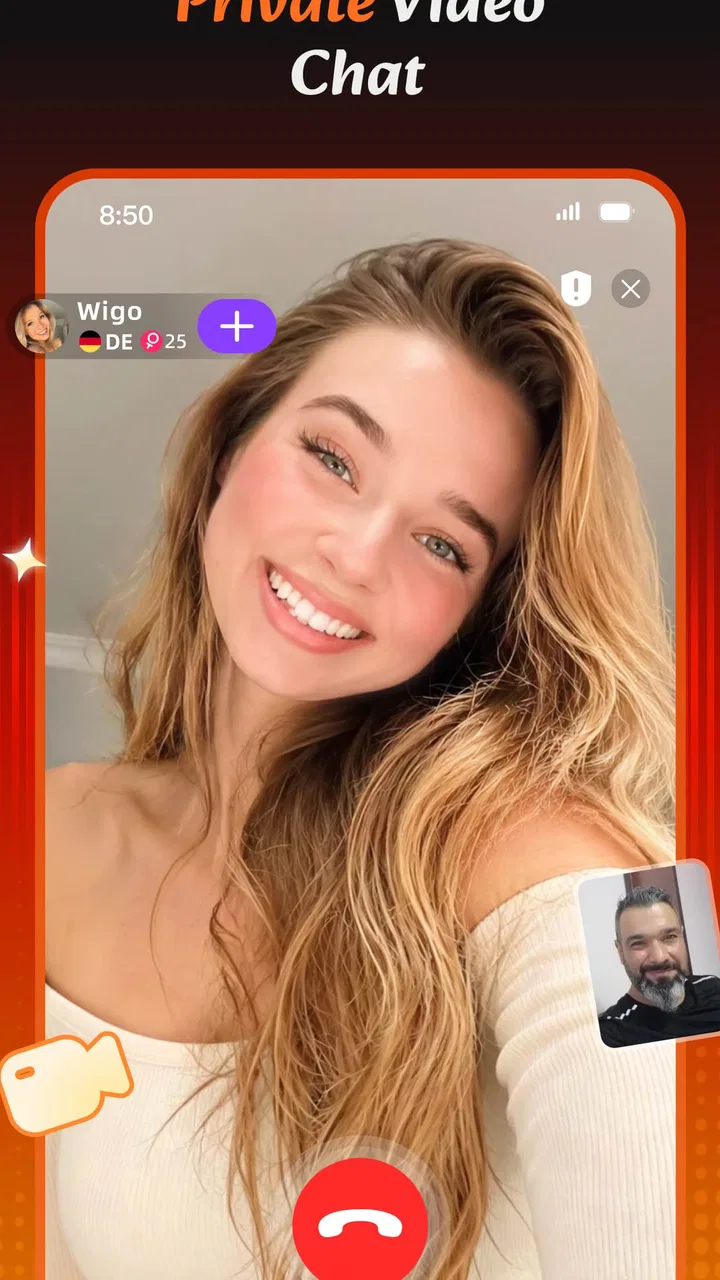
Wigo Live-Live Video Chat
- 4.4
- Rating
- 5.00M
- Installs
- Free
- Price

 Analysis by App-foxy
I approached Wigo Live-Live Video Chat as a social app for people who want conversations to feel more immediate than ordinary messaging. Its central appeal is easy to understand: instead of waiting for a carefully written reply, you can move toward live video, chat, streams, and casual contact with people in other parts of the world. That change sounds small, but it affects how I communicate. I spend less time polishing messages and more time deciding whether I am ready to be present.
That is both the app’s strength and its main challenge. Wigo Live can make social interaction feel spontaneous, especially when text has started to feel repetitive or distant. At the same time, live communication asks for attention in a way that a normal chat app does not. I cannot casually answer while doing something else if the conversation depends on video or a fast response. For me, the app works best when I treat it as a place for intentional social time rather than another notification stream.
Developed by Wigo Team, this free social app is rated for Mature 17+ users. It has built a sizeable audience, with over five million installs and an average rating of 4.4 from around ninety-seven thousand ratings. Those figures suggest that the idea has found a real audience, but they do not remove the need to use good judgement. Live social spaces are only as comfortable as the boundaries I bring to them.
You May Also Like

 Blood Strike: 2.5 Anniversary
Blood Strike’s Loadouts Turn Every Drop Into a Tactical Gamble
A close look at Blood Strike’s custom loadouts: how fast access to signature weapons reshapes its battle royale rhythm, rewards preparation, and narrows the gap between fights.

 Pandora - Music & Podcasts
Pandora’s Music Is Easy to Start, but Harder to Recover
Pandora’s strength is its low-effort path from a seed to a station. Its weak spot is how much confidence it asks you to place in connection, setup, and quiet recovery.

 8 Ball Pool
 Is Built on Rivalries, Rematches, and Routine
A close look at the rivalries, rematches, shared routines, and unanswered safety questions that turn a quick pool match into a persistent mobile community.

 Samsung Music
’s Quiet Strength Is Playing What You Already Own
Its reach comes less from spectacle than from dependable access to a personal library. That simplicity is both the app’s strongest retention engine and its ceiling.

 AccuWeather: Weather Radar
AccuWeather Review: A Quick, Clear Forecast for Everyday Decisions
For everyday plans, the best forecast is the one you can understand quickly. AccuWeather makes rain timing, radar, and local conditions easy to act on, with a few trade-offs.

 Hill Climb Racing
Why Hill Climb Racing Still Turns Crashes Into One More Run
A tiny car, a bumpy hill and one more upgrade: Hill Climb Racing keeps resurfacing because its simple chaos makes every near-miss feel personal.
More From Our News Desk
View All News


What changes when communication becomes live
Most messaging apps are built around delay. I send something, put my phone down, and return when the other person answers. Wigo Live changes that rhythm by placing video calls, chat, and live streaming closer together. The result feels more like entering a social room than opening a private inbox. I am not only exchanging information; I am choosing how much of my attention, voice, face, and time to make available.
This makes the app useful when text is creating unnecessary distance. A short video conversation can clarify tone faster than several messages, and a live setting can make meeting someone new feel less formal than arranging a long conversation in advance. I can see why someone who has moved to a new city, wants international conversation, or simply misses the energy of real-time contact might enjoy it.
However, the same immediacy can make communication less clear when I join without a purpose. In ordinary chat, I have time to think about what I mean. In a live exchange, the pace encourages quick reactions. That can be fun for light conversation, but it is not automatically better for serious topics, sensitive personal matters, or situations where I need a precise record of what was said. I would choose a conventional messenger for planning, detailed instructions, or anything I may need to revisit later.
One practical way I found to use the app is to decide what kind of contact I want before opening it. If I want a brief social break, I can look for casual interaction. If I want to get to know someone, I need to accept that the conversation may require more concentration and a clearer exit. That simple decision prevents the app from turning every spare moment into an unplanned commitment.
How the conversation flow feels in practice
The combination of chat and video gives Wigo Live a flexible entry point. Text feels like the lower-pressure option: I can begin with a short exchange and see whether the conversation has a natural direction. Video is more immediate and personal, while live streaming shifts the experience toward a shared audience rather than a one-to-one talk. I appreciate having different levels of involvement instead of being pushed into the most exposed format immediately.
The trade-off is that these formats do not create the same kind of relationship. A private video call can encourage mutual attention, but a stream may feel more like observing and reacting. Chat can be convenient, yet it may also keep an interaction shallow if I use it only to jump between people. I would not judge the app by one successful conversation alone; its value depends on whether I use the format that matches the connection I actually want.
For an everyday example, imagine finishing work and wanting to speak with someone rather than scroll silently. I might start with chat while making tea, then move to video only if the exchange feels comfortable and I have the time. That is a better workflow than opening a live conversation while rushing between tasks. The important insight is that Wigo Live can support a gradual increase in involvement, but I have to control that progression myself.
I also found that live communication rewards a little preparation. I do not mean scripting a conversation. I mean checking whether I am in a place where I can listen, whether I want to be seen on camera, and whether I am comfortable with the possibility of meeting unfamiliar people. A few seconds of preparation improves the quality of the interaction more than trying to recover after I have already joined distracted or uncomfortable.
Attention is the hidden cost of immediacy
Video and live interaction can feel more engaging than text because they demand a response in the moment. That is also where the attention cost appears. A normal chat can run in the background of my day; a live exchange pulls the foreground toward itself. Even a friendly conversation can become tiring when I am trying to listen, respond, monitor my surroundings, and decide whether I want to continue.
This matters for people who already feel overloaded by social notifications. Wigo Live is not the best choice if I want a quiet communication tool that waits patiently for me. Its appeal is participation, not merely availability. I would recommend setting a personal stopping point before starting a session, especially when the app is being used late at night or during work and study time.
Live streams create a different attention problem. They can be easier to enter and leave than a direct conversation, but the flow may encourage passive staying. I can tell myself I am only checking for a moment and then remain because something new keeps happening. That is not a flaw unique to this app, but the live format makes it more noticeable. I get more from it when I treat streams as a deliberate activity rather than background noise.
Another useful distinction is between social energy and available time. I may have ten free minutes but not enough energy for a personal conversation. Conversely, I may want company while having no interest in performing or being visually present. Chat can suit the first situation better than video, while a stream may suit the second. Choosing by energy, not just by time, helps me avoid interactions that leave me feeling drained.
Compared with a standard messaging service, Wigo Live offers more immediacy but less control over pacing. Compared with a conventional video-call app, it is oriented more toward discovering social contact and live interaction than simply calling people I already know. Compared with a social network built around posts, it places more weight on the present moment and less on carefully edited updates. None of those approaches is universally superior. The right choice depends on whether I value spontaneity, familiarity, or a permanent written trail.
Boundaries matter more when meeting people worldwide
The international social angle is appealing, but it also requires a more active approach to personal boundaries. Different users may have different expectations about how quickly to move from chat to video, how often to communicate, and what counts as a comfortable question. I should never treat friendliness as proof of trust. A pleasant conversation is a good beginning, not a reason to disclose private details.
I would keep identifying information, financial details, passwords, and private contact information out of early conversations. I would also avoid feeling obliged to continue simply because someone has been polite. In a live environment, ending a conversation can feel harsher than closing a text window, but a clear exit is healthier than staying out of guilt. The app is more enjoyable when I remember that access to my attention is something I choose.
The Mature 17+ rating is an important signal for families and younger users. I would not treat the app as suitable for children, and I would encourage older teenagers to discuss live social risks with a trusted adult rather than relying on the age label alone. A rating can describe the intended audience, but it cannot replace judgement about strangers, personal exposure, or the emotional pressure of real-time interaction.
There is also a privacy boundary around the camera itself. Video reveals more than a face: surroundings, routines, household details, and the mood of a private space can all become visible. I prefer using a neutral setting and checking what is behind me before joining. That is a small habit, but it prevents accidental oversharing. If I am not comfortable with that level of visibility, chat is the better choice for that moment.
In-app purchases range from ninety-nine cents to ninety-nine dollars and ninety-nine cents per item. Since the app is free to install, I would begin without spending and first understand which parts of the experience I actually use. This is especially important in a live social environment, where the desire to keep a conversation going can make optional spending feel more urgent than it really is. I would set a budget in advance and never use payment as a way to earn attention or approval.
Small habits that make the experience clearer
My first useful habit is to separate discovery from commitment. I can browse the social experience with the intention of observing the tone, then decide whether I want to chat or use video. That prevents the common mistake of treating the first interesting interaction as a relationship that already deserves constant availability.
The second is to use chat as a clarity check rather than a waiting room. Before moving into a more personal format, I can notice whether the other person respects a simple answer, accepts a pause, and communicates without pushing for information. Those early signals tell me more than an enthusiastic introduction does. If the conversation feels rushed in text, video is unlikely to make it feel safer.
The third is to protect the end of the interaction. I find it helpful to say that I have a few minutes or that I need to leave after a certain point. This is not unfriendly; it makes expectations clearer for both people. Because Wigo Live is built around real-time contact, an explicit ending keeps a short conversation from quietly taking over the evening.
A fourth consideration is language and cultural context. Meeting people around the world can be rewarding, but humour, directness, and personal questions do not carry the same meaning everywhere. I try to ask for clarification instead of assuming bad intent, while still taking discomfort seriously. The international aspect adds variety, but it also makes patience and plain wording more valuable than cleverness.
Who will enjoy it, and who should choose something else
I think Wigo Live suits adults who want more immediacy than a conventional messenger provides and who are comfortable managing their own exposure. It is a good fit for someone looking for casual international contact, a quick video conversation, or a live social atmosphere that does not depend on maintaining a polished public profile. It can also help people who find text emotionally flat and want voice or facial expression to carry part of the conversation.
I would be more cautious recommending it to someone who wants a tightly controlled circle of known contacts. A familiar video-call app is usually better when the goal is simply to speak with family, colleagues, or established friends. I would also steer away from it if I need asynchronous communication, detailed searchable discussions, or a calm space with minimal interruption. Wigo Live’s immediacy is the point, so users who dislike social unpredictability may find it tiring rather than refreshing.
People who are easily pressured by live interaction should start slowly. There is no benefit in moving to video before feeling ready, and there is no obligation to answer every invitation. The app can be enjoyable without becoming a daily habit. In my experience, the healthiest use is selective: I open it when I genuinely want human contact, not whenever I am bored for a few seconds.
My verdict on Wigo Live
Wigo Live succeeds because it changes communication from a sequence of delayed messages into a more present, social experience. Chat, video calls, and live streams give me several ways to participate, and the worldwide focus makes the app feel more open-ended than a contact list built only from people I already know. I especially like the possibility of beginning lightly and choosing a deeper level of involvement only when the interaction earns it.
Its limitations are closely connected to its appeal. Live contact consumes attention, creates more personal exposure, and can make it harder to leave politely. The free entry point is convenient, but optional purchases mean I would approach the social experience with a clear spending limit. The Mature 17+ rating also makes it unsuitable for younger users and reinforces the need for sensible boundaries with unfamiliar people.
The current version is 1.7.9, and the app was released on October 25, 2024. It supports devices running Android 7.0 or later, which makes it accessible to many users with older Android phones. Those practical details are helpful, but they do not decide whether the app belongs on my phone. The real question is whether I want communication that asks me to be present now rather than reply later.
My recommendation is positive with conditions. I would suggest Wigo Live to a socially curious adult who wants spontaneous conversation and is willing to protect personal information, time, and emotional energy. I would not replace every messaging or video-call tool with it. Instead, I would use it as the live, exploratory option in my social toolkit. When I enter with a clear intention and an easy way to leave, it adds warmth and immediacy. When I open it without boundaries, the same immediacy can quickly become noise.
FAQs for Wigo Live-Live Video Chat
01What is Wigo Live-Live Video Chat, and how does it work?
Wigo Live-Live Video Chat is a social communication app designed for meeting people through live video interactions, chat rooms, and direct conversations. After creating a profile, users can browse available live sessions, join conversations, send messages, and potentially connect with other members. The available features may vary by region, account type, and app version, so it is worth reviewing the current permissions and terms before using it.
02Is Wigo Live-Live Video Chat free to download and use?
The app may be free to download, but some features can require in-app purchases, virtual credits, subscriptions, or other paid items. Basic access may allow users to create an account, browse content, or participate in selected chats, while premium interactions and digital gifts could cost money. Before spending anything, check the in-app pricing, automatic renewal settings, and refund policy applicable to your Android or iOS account.
03Is Wigo Live-Live Video Chat safe for meeting and talking with strangers?
As with any live video and social chat platform, users should be careful when communicating with people they do not know. Avoid sharing your address, phone number, passwords, financial details, or private images. Use the available block and report tools if someone behaves abusively or suspiciously. Parents should also be aware that live social apps may contain mature conversations or user-generated content that is not suitable for children.
04What permissions and account information does Wigo Live-Live Video Chat require?
The app may request access to features such as the camera and microphone for video conversations, notifications for messages or live activity, and possibly photos or storage when uploading profile content. It can also require an account using an email address, phone number, or supported social login. Grant only the permissions necessary for the features you intend to use, and review the privacy policy to understand how personal data is handled.
05What should I do if I experience inappropriate content, harassment, or technical problems?
If you encounter harassment, scams, explicit material, impersonation, or another violation, stop interacting with the account and use Wigo Live-Live Video Chat’s reporting or blocking options. Save relevant details only when it is safe to do so, and contact the app’s support team for serious or repeated issues. For connection problems, update the app, check your internet connection, restart it, and verify that camera and microphone permissions are enabled.
Pros
- Quick matching makes it easy to start conversations with new people.
- Video chats feel more personal than text-only social apps.
- Simple interface is easy for first-time users to navigate.
- Useful for meeting people from different countries and cultures.
- In-app interactions can help reduce the awkwardness of starting a chat.
Cons
- Some features may require coins
- subscriptions
- or other in-app purchases.
- Public video interactions can expose users to inappropriate behavior.
- Match quality may vary depending on your location and active users.
- A stable internet connection is needed for smooth video calls.
- Privacy settings should be checked carefully before sharing personal details.

Wigo Live-Live Video Chat
Gallery